In the beginning of my timeat GLR I was of course unexperienced. I didn't know about Illustrator and was just
about to learn it.
As part of learning about Adobe Illustrator I had to use the Pen Tool. With this tool I had to find a cartoon
character, not too hard to do and use the Pen Tool over it, making your own character.
The first thing I did was search for a chibi version of superhero's. This led me to a Chibi Batman.
After I got the character done I thought the background was a bit too white.
The photo I used also had a background. I thought that would be a cool thing to do as well. So I found out
about the colour gradient in Illustrator and added the background you also see here on the left. After that
I added the title and was finished.
However, I misheard my teacher because I thought it had to be done before the beginning of next class. This
wasn't the case.
I thought the pen tool was a cool tool so I figured why not try a bit harder cartoon?
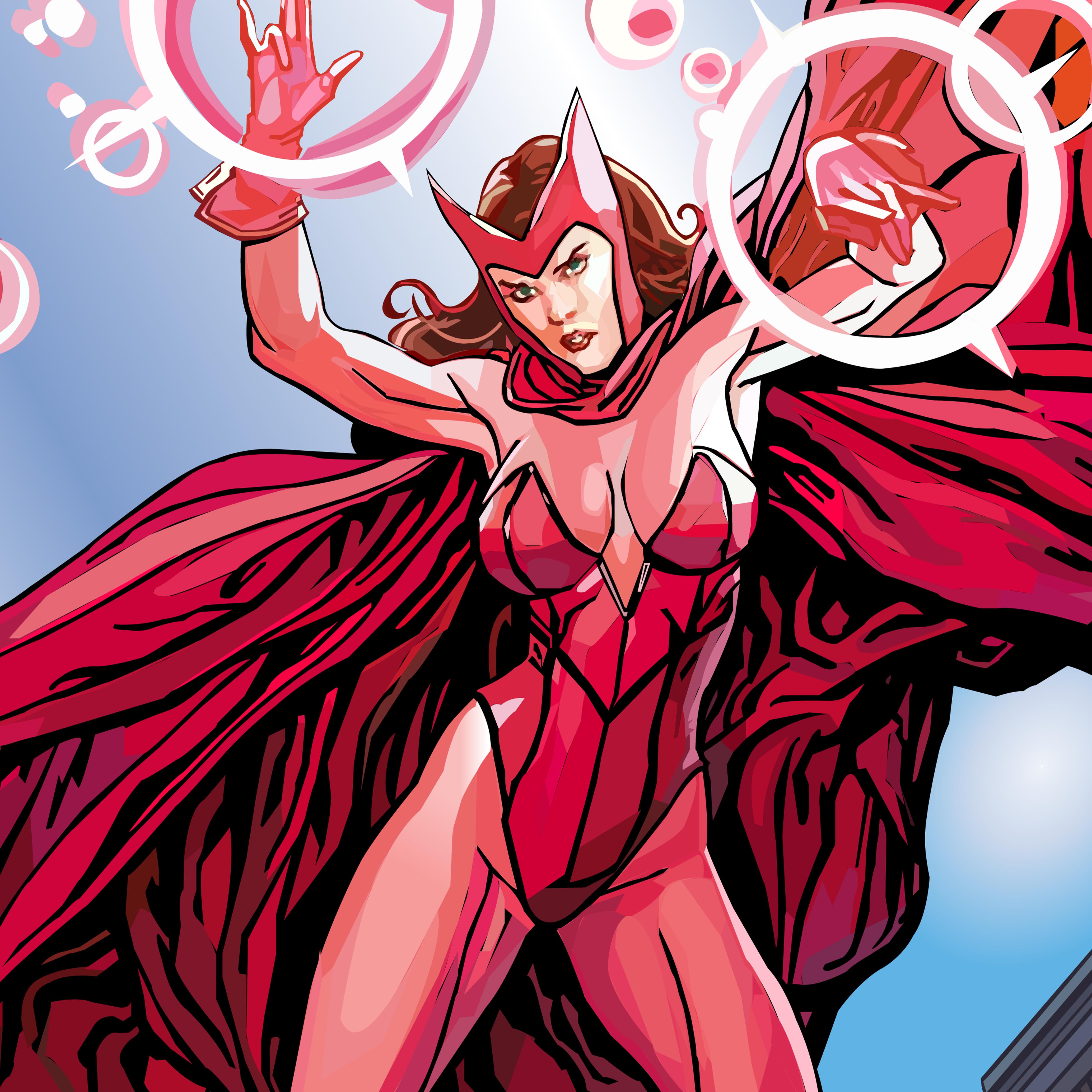
So I got back to Google and searched for a more comic accurate picture. I stumbeld upon Scarlet Witch. This
comic character had a lot of different colours of red. Which could be challenging.
Perfect.
Now all I needed to do was put it in Illustrator and get to work before, once again, the next class started.
This time I was right about the deadline. As seen on the right is my finished Illustrator file with Scarlet
Witch. I also added the background.
Those are the two I did for school.
However, during my first year at GLR I made a few others. These were just for me to pass the time in class when
I already finished the homework or just for fun. These will be shown in my "Story Highlights".
In "End Result" you'll go to my Instagram and to the post.
In my "Story Highlights" you'll once again go to my Instagram and see the story.